

Every Monday morning starts with high hopes for a massive email campaign, but by evening, the open rates look completely disappointing as hundreds of delivery failure notices pile up without warning. When you dig into the delivery reports, you quickly realize that these messages never reached the recipient’s inbox at all because a hidden address caught every single returning email. That hidden destination is actually your email return path, even though most senders routinely overlook it during campaign setup.
Fortunately, the core concept is quite simple, so you do not need to be a server expert to understand what is happening behind the scenes. In this guide, we will trace a bounced message step-by-step so that you can learn what the return path in email really does, discover how to find your own return path email, and fix bounces before they harm your next campaign. So, if you want to improve your return path in email marketing, let us dive straight into the basics.
Table of Contents
What Is an Email Return Path?
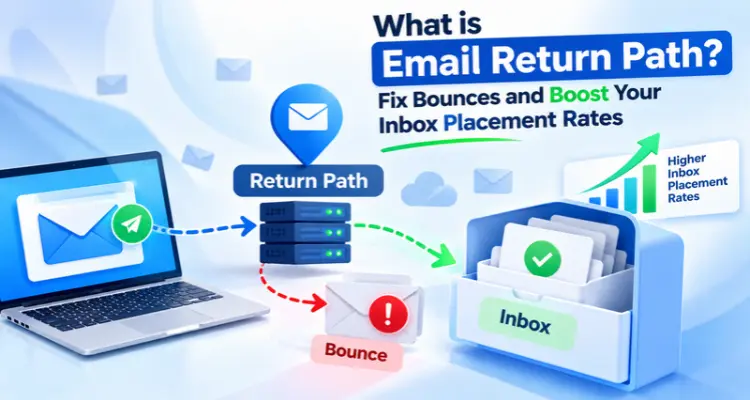
An email return path is a hidden address that tells mail servers where to send bounce messages when an email fails. Tech people also call it the bounce address, the envelope sender, or the MAIL FROM address. Some senders simply say return email address. Your reader never sees it. Your From address stays on the screen, while the email return path works quietly in the background.
Think about a paper letter. The envelope carries a postal address and a return address. The letter inside carries your greeting and your name. Email works the same way. The envelope holds the address for errors. The message inside holds the From line that your reader sees. The SMTP standard, RFC 5321, says it in a similar way: the sender address on the envelope is where error reports go.
So the return path in email is simply the “send the bad news here” address.
But how does a message pick up this address? Your sending server shares the return path in email at the start of the SMTP talk, using a command that people call MAIL FROM. Later, the last server in the chain writes it at the top of the message. That is why you can read it in the full header. This leads to a bigger question: what does a bounce look like on its way back? Let us follow one.
Email Return Path vs From vs Reply-To
First, a quick fix for a common mix-up. People confuse these three addresses all the time, even teams that run return paths in email marketing every week, so a small table helps.
| Address | Who sees it | What it does |
| From | The reader, in the inbox | Shows who sent the message |
| Reply-To | The reader, after pressing Reply | Decides where replies go |
| Email return path | Servers, and you in the full header | Decides where bounces go |
A simple rule helps here. From is for people. Reply-To is for replies. The email return path is for failures. You can set all three to different addresses. Your return email address can look nothing like your From. For example, your From can be hello@yourbrand.com, your Reply-To can be support@yourbrand.com, and your return path email address can be bounce@mail.yourbrand.com.
That last address looks odd, right? Many senders use a subdomain like that, and you will soon see why.
What Happens When an Email Bounces?
Let us trace one failed message, step by step.
- Your server hands the message to the receiving server and shares the bounce address.
- The receiving server checks the mailbox. Sometimes it says no right away. A common reply is 550 5.1.1, which means the mailbox does not exist.
- Sometimes a server accepts the message first and fails later. In that case, it builds a failure report. RFC 5321 says that server must send the report to the sender address on the envelope.
- The report lands at your return path email address. This is the returning email that brings you the news.
Here is a small detail that surprises many people. A failure report has its own email return path, and that one is empty. In the SMTP talk, it looks like MAIL FROM:<>. The empty sender stops a bounce from bouncing again, which would start an endless loop. So even a bounce follows a rule.
Now let us read what the bounce tells you.
Hard Bounce vs Soft Bounce
Servers reply with number codes. A code that starts with 4 means a temporary problem. A code that starts with 5 means a permanent one.
- Soft bounce (4xx): The problem may pass. A full mailbox, with the code 4.2.2, is a classic case.
- Hard bounce (5xx): The problem will not pass. The code 5.1.1 means the address does not exist.
A returning email with a 4xx code deserves a second look. Soft bounces deserve a watch. Hard bounces deserve a delete. If you keep mailing a dead address, you only invite more bounces.
Each return email carries one of these codes, so read it before you guess. Every returning email is a free lesson about your list, and a good return path in email marketing treats it as data. But why does a hidden address matter so much for your campaigns? Let us answer that next.
Why Does Return Path in Email Marketing Matter?
You never see it, so why care? Because it touches three things that you do care about.
1. It Shows You the Dead Addresses
Bounce data tells you which addresses fail. Without it, you keep sending to them. Google tells senders to cut their volume when messages start bouncing or slowing down, and then to raise it slowly again. Google also lists “unsubscribe people who bounce many times” as a useful habit. So the return path in email marketing works like a daily health check for your list.
2. It Decides Whether SPF Passes for Your Domain
SPF looks at the domain in your email return path, not the domain in your From line. So if your provider’s domain sits in the return path, SPF passes for your provider’s domain. It does not pass for yours. That small gap causes a lot of confusion, and it leads us straight to DMARC.
3. It Helps DMARC Pass
DMARC passes when SPF or DKIM passes and the passing domain matches your From domain. That match has a name: alignment. There are two kinds. Under relaxed alignment, both domains need the same main domain. Under strict alignment, they must match exactly. Relaxed is the default, and RFC 9989 notes that nearly all domain owners find it enough.
Take an example. Say your From domain is example.com.
- Return path domain is mail.example.com: Relaxed alignment passes. Strict alignment fails.
- Return path domain is bounce.someservice.net: SPF does not align. Then DKIM must carry the DMARC pass.
The newest DMARC standard, RFC 9989, came out in May 2026 and replaces the older RFC 7489. The SPF rule stays the same: DMARC uses the MAIL FROM domain.
Gmail makes this real for large senders. Since February 1, 2024, anyone who sends more than 5,000 messages a day to Gmail needs SPF, DKIM, and DMARC. Their From domain must also match the SPF domain or the DKIM domain. Every sender to Gmail needs at least SPF or DKIM. You can read the full list in Google’s email sender guidelines.
Now, an honest question. Does a clean setup push you into the inbox on its own? No. RFC 9989 says a DMARC pass only shows that the domain owner allows the use. It makes no promise about the message itself. Still, a clean setup removes two common causes of failure: dead addresses and broken alignment.
Also watch a different number. Google wants your spam rate in Postmaster Tools below 0.10%, and never at 0.30% or higher. Spam reports and bounces are not the same thing, so track both. Want to see your own setup? Let us look.
How to Find the Return Path in Email on Gmail
You can check any email you receive. In Gmail, follow these steps:
- Open the email.
- Click the three dots (More) next to Reply.
- Choose Show original.
- Press Ctrl+F and type Return.
- Find the line that starts with Return. The address inside the angle brackets is your return path.
Google’s help page lists steps for other mail apps too. You can also copy the header into the Google Admin Toolbox Messageheader tool and click to analyse it.
Now compare the domain you found with your From domain. Do they match? If not, you may have an alignment gap. But there is one more trick that makes bounces far easier to read.
What Is VERP?
A normal bounce note often skips the address that failed. Then you cannot clean your list. VERP fixes this. The name stands for Variable Envelope Return Path. It gives each recipient a different return path email address, which gives return path in email marketing a clear list-cleaning signal.
Here is an example:
bounce+riya=example.net@mail.yourbrand.com
The equals sign takes the place of the @ sign inside the address. When a bounce lands at this address, you know at once that riya@example.net failed. According to Mailtrap’s guide, mail servers such as Postfix and Exim support VERP, and some email service providers offer it too.
Do You Need a Custom Return Path Email Address?
Many providers start you on a default email return path that sits on their own domain. That works for basic sending. But you may want your own subdomain, so SPF lines up with your From domain.
The usual steps look like this:
- Pick a subdomain, such as bounce.yourbrand.com.
- Ask your provider for the CNAME record it needs.
- Add that record in your DNS panel.
- Wait for DNS to update, then ask the provider to verify it.
- Send a test and check the header.
Two DNS rules matter here. A CNAME cannot sit at the root of your domain. It also cannot share a name with another record. That is why a subdomain works best. Also, not every provider or plan offers a custom setup, so ask before you plan around it.
Even with a good setup, small mistakes can sneak in. Let us look at the common ones.
Common Email Return Path Mistakes
Most trouble with the return path in email comes from small slips like these.
- Nobody reads the bounce mailbox. The mailbox that collects each return email fills up, and the lessons go to waste.
- The domains do not match. Your return path email domain and your From domain live in different worlds, so SPF cannot help DMARC.
- Someone adds an email return path line inside the message code. RFC 5321 says the sending system should not include one. The final server adds it.
- Two SPF records sit on one domain. A domain should have only one SPF record, so merge them into one.
- Old settings stay after a provider switch. Check your DNS and remove what you no longer use.
- Forged bounces reach you. If a bad actor forges your domain, strangers’ servers may send bounces to you for mail you never sent. People call this backscatter, and RFC 9989 talks about it.
One more thing causes confusion online. Return Path is also the name of an old deliverability company. Validity announced on May 1, 2019 that it would buy that company. The company and the header are different things.
How to Fix Bounces and Protect Inbox Placement
Ready to act? Use this checklist before your next send:
- Clean your list first. Check addresses before a big campaign. Our post on email validation shows how.
- Set up SPF, DKIM, and DMARC. Our guide to SPF, DKIM, and DMARC explains each one in plain words.
- Match your domains. Make your return path email domain line up with your From domain.
- Read the codes. Open each return email and remove every 5.1.1 address at once.
- Watch soft bounces. If an address keeps failing, remove it too. Our note on bounce rates can help.
- Grow your volume slowly. Google suggests you start low with engaged users and avoid sudden bursts.
- Check your spam rate. Keep it under 0.10% in Postmaster Tools.
- Split your streams. Keep order emails and password resets apart from promotions.
Good return path in email marketing starts with these habits. Tools help too, and that brings us to a short note about us.
How iDealSMTP Simplifies Bounce Tracking
At iDealSMTP, we offer dedicated SMTP servers with a dedicated IP. We set up SPF, DKIM, and DMARC when you start. Our dashboard shows delivery status, bounce tracking, and spam complaints, so you can read the bounce story without digging through raw headers. We also guide your IP warm-up, and our team answers by chat, email, and phone around the clock. Have a question about your setup? Reach us on our contact page.
Conclusion
Your next campaign will produce some returning email. That part is normal. The real question is whether anyone reads it. Check your email return path today, match it with your From domain, and clean your list on a schedule. Small checks like these protect your reputation long before a problem shows up. Return path in email marketing is quiet work, but it pays off with every send.
Frequently Asked Questions
Q1. What is an email return path?
An email return path is the hidden address where servers send bounce messages. Your reader never sees it. It differs from the From address, which shows who sent the message.
Q2. Is the return email address the same as the From address?
No. The From address shows the sender to your reader. The return email address, which is the bounce address, collects bounces. You can set them to the same address, but many senders use different ones.
Q3. Where do I find the return path in email?
Open the full header of any message you receive. In Gmail, use More and then Show original. Then search for the word Return and read the address in angle brackets.
Q4. Does the email return path affect DMARC?
Yes, through SPF. DMARC uses the domain in the bounce address when it checks SPF alignment. DMARC can also pass through DKIM, so one aligned pass from either method is enough.
Q5. What is a returning email?
A returning email is a message that comes back to the sender because delivery failed. Most people call it a bounce. It lands at the return path address and carries a status code.
Q6. Do I need a custom return path email address?
Not always. A default setup works for basic sending. A custom return path email domain helps SPF align with your From domain, which matters for DMARC. Ask your provider if it supports one.
Q7. Why does the return path in email marketing matter if readers never see it?
Because servers see it. It collects every returning email, so you can clean your list. It also feeds SPF, and SPF feeds DMARC. Gmail expects large senders to pass those checks.
Q8. Can a wrong return path hurt delivery?
It can. A wrong return path in email can break SPF alignment, and unread bounces let dead addresses pile up. Still, no single setting guarantees the inbox. Good lists, authentication, and steady volume work together.