

You send a test email on Monday, and it lands in the inbox. So you feel happy and launch your campaign. But three weeks later, your sales drop and nobody on your team knows why.
This story happens to many senders, because the reason is simple. A test shows you one moment, but it does not show you what happens after that moment. After all, Gmail and Outlook watch your mail every single day, and they keep changing their opinion about you.
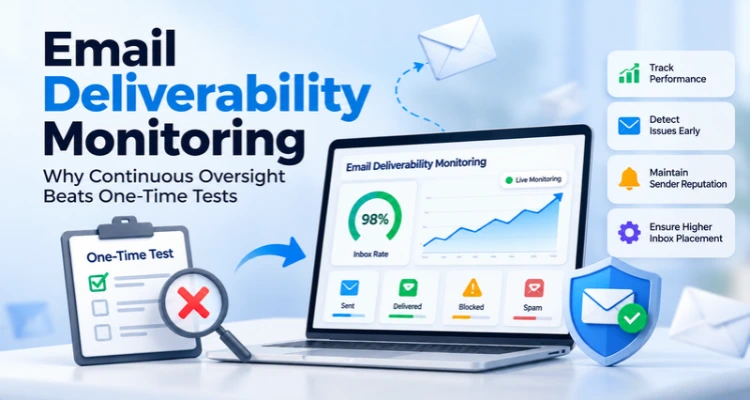
That is why email deliverability monitoring matters more than a single test. In this guide, we are going to explain the difference in simple words, and we also show you how to monitor email deliverability. Because of this, you will learn which numbers to track and what to do when one turns bad. So read till the end, because the last few sections can save you from a high budget surprise.
Table of Contents
What a Single Test Email Actually Tells You (And What It Misses)
A one-time test checks only one email per day. Email deliverability monitoring checks your sending every day, across every campaign. It tracks the same email deliverability metrics each time. Testing still helps before a big change, but email deliverability monitoring should run your daily routine. It catches slow problems early, and slow problems cause most of the damage.
A test usually means you send one email to a few test inboxes. These inboxes sit at Gmail, Outlook, Yahoo and other providers. Then you check where the email landed: the inbox, the spam folder or the promotions tab.
This has real value. A test can show a broken SPF record or a spammy template before you email your full list. It can also help you compare two subject lines. But a test has limits, and these limits show why email deliverability monitoring matters.
Why One Test Isn’t Enough to Stop Your Emails from Landing in Spam
First, a test shows only today’s results. Mailbox providers update their filters often, and they do not publish every detail. So, a good result today offers no guarantee for next week.
Second, test inboxes do not behave like real people. A real subscriber opens some emails, ignores others, and sometimes presses the spam button. So, the result is a hint, not a guarantee.
Third, a test cannot track email deliverability metrics over time, so it cannot see a slow slide. Imagine your complaints rise a little with every campaign. Each test on its own still looks fine. No single test compares itself with the earlier ones. The slide continues until one day your mail starts landing in spam. Email deliverability monitoring closes this gap.
So how do the two approaches really differ? This table makes it clear.
| Question | One-time test | Continuous monitoring |
| What does it show? | One email at one moment | Every campaign, every day |
| Where does the data come from? | Test inboxes you control | Your server logs, provider tools and real recipient actions |
| Can it catch a slow decline? | No | Yes |
| Does it warn you early? | Only if you run it at the right time | Yes, when you set alerts |
| Best use | Checking one specific change | Watching your overall health |
How iDealSMTP Helps You Protect Sales with Daily Monitoring
Four reasons make email deliverability monitoring the stronger habit. Let us take them one by one.
1. Problems start quietly
Many problems give no loud signal. A new marketing tool starts sending mail from your domain. Someone changes a DNS record. A team member uploads an old list. Your mail still leaves your server, and your report still says “delivered.”
Here is the trap. Delivered only means the receiving server accepted your email. It does not mean a person saw it, and the mail can still land in spam. Email deliverability monitoring looks past the word “delivered” and watches what happens next.
2. The rules keep changing
Mailbox providers have raised the bar in recent years. Google started its bulk sender rules in February 2024. Google calls you a bulk sender when you send about 5,000 or more messages to Gmail in 24 hours. Bulk senders must set up SPF, DKIM and DMARC. They must also add one-click unsubscribe to marketing emails. Google also asks every sender to keep the spam rate below 0.10% and never reach 0.30%. Yahoo announced similar rules at the same time.
Microsoft followed. From 5 May 2025, Outlook.com, Hotmail.com and Live.com set new rules. Senders of more than 5,000 emails a day must pass SPF and DKIM. They must also publish a DMARC record. Microsoft began moving mail from non-compliant high-volume senders to the Junk folder.
A test you ran last year cannot tell you whether you still meet these rules. Email deliverability monitoring can, because it keeps checking your records and results every day.
3. Reputation builds slowly and falls fast
Mailbox providers judge you over time. They look at your domain and at your IP address. Google Postmaster Tools even has separate dashboards for domain reputation and IP reputation. Reputation moves slowly, so you need a long view, and a single test cannot give it. Email deliverability monitoring draws one line across weeks and months, and that line shows the direction.
4. Email deliverability monitoring warns you before your sales drop
Think about the chain of events. Bounces often show up first. Complaints and reputation changes follow, and then inbox placement drops. Replies and sales fall last. If you wait for sales to fall, you start the repair after the damage. That feels like checking the wiring after you smell smoke.
Email Deliverability Metrics You Must Track to Protect Domain Reputation
Many dashboards show twenty numbers. You do not need them all, and good email deliverability monitoring starts with the right few. These email deliverability metrics tell you the most.
| Metric | What it shows | What to watch for |
| Spam complaint rate | The share of recipients who press “report spam” | Google asks for below 0.10% in Postmaster Tools, and never 0.30% |
| Hard bounce rate | Emails that failed for good, such as a fake address | A rising line means your list is old or messy |
| Soft bounces and delays | Temporary failures, such as a full mailbox | A rising trend at one provider points to a reputation or limit problem |
| Authentication results | Whether SPF, DKIM and DMARC pass | Any new failure means a record changed or a new tool sends for you |
| Domain and IP reputation | How a provider rates your domain and IP | Any drop from your usual level |
| Blocklist status | Whether your IP or domain sits on a blocklist | Any new listing |
| Inbox placement | How much mail lands in the inbox and how much in spam | The direction over weeks, not one number |
| Engagement | Opens, clicks, replies and unsubscribes | A sustained fall, read as a soft hint |
A few notes will help you read these email deliverability metrics well.
First, split them by provider. Gmail can look fine while Outlook struggles, and a blended number hides that. Second, treat opens with care. Apple’s Mail Privacy Protection can load images on its own. So open rates can look higher than real. Clicks and replies tell you more. Third, split your email deliverability metrics by mail type. Let us see why that matters.
Imagine you send 90,000 order emails with a 0.02% complaint rate. You also send 10,000 promotions with a 0.5% complaint rate. Add them together, and you get 68 complaints from 100,000 emails. That is 0.068%, and it looks safe. But your promotional stream runs at 0.5%, far above Google’s 0.30% line. The mixed number hides the problem, and a split view shows it.
Numbers only help when you know where they come from, so let us look at the sources.
Where Email Deliverability Monitoring Gets Its Data, and How Late It Arrives
You can monitor email deliverability with five main sources, and each one runs on its own clock. When you mix them, you may think your tools do not work.
Here is how they differ.
- Your SMTP server logs and delivery reports: These arrive close to real time. They show accepts, bounces and delays for each email.
- Google Postmaster Tools: Google says the dashboard data is not real time. It usually updates within 24 hours, but it can take longer. The tool has dashboards for compliance status, spam rate, IP reputation and domain reputation. It covers Gmail only.
- DMARC aggregate reports: Receiving servers send these, usually once a day. They show which servers send mail in your domain’s name. A new, unknown sender in these reports gives you an early warning.
- Blocklist checks: You run these on a schedule, such as once a day.
- Test inboxes: You control the timing. Use them to check a change or to confirm a fix.
So follow a simple rule. Act fast on your own logs. Use DMARC reports to find the cause. Use Postmaster Tools to watch the trend. Use test inboxes to confirm a fix. Now let us look at the part most guides skip. That part is email deliverability monitoring on the SMTP side.
What Deliverability Monitoring Means on an SMTP Server
Do you run your own SMTP server, or use an SMTP provider? Then deliverability monitoring needs a few extra checks. You must also monitor email deliverability at the server level, because the server itself shapes your reputation.
- IP reputation: On a shared IP, the habits of other senders can touch your results. A dedicated IP gives you full control, but it also means you own the whole reputation. Either way, check it often. Our guide on IP reputation explains how.
- Warm-up: A new IP needs a slow start. Send a few hundred emails first, and then grow the volume a little each day. A new IP usually needs two to four weeks of steady sending before providers trust it. During this time, check bounces and complaints every day, not every week.
- Reverse DNS: Google’s sender guidelines say your sending domain and IP need valid forward and reverse DNS records. So check that your PTR record matches the hostname your server shows when it connects. Our DNS setup guide shows each step.
- SPF limits: A domain should have only one SPF record. SPF also allows only 10 terms that cause DNS lookups. When you cross that limit, SPF returns a permanent error. One extra vendor entry can push you over, so recheck SPF after you add any new tool.
- Mail streams: Keep marketing mail and transactional mail apart, and use separate subdomains if you can. Then each stream has its own numbers, and one stream cannot hide the other.
- Blocklists: If your IP lands on a blocklist, many providers block or filter your mail. You must find the cause, fix it and then ask for removal. A messy list or a server that hackers broke into often causes a listing.
A Simple Routine to Monitor Email Deliverability
You can monitor email deliverability in about an hour a week by following a fixed routine. Here’s one that works for most senders.
Every day (5 to 10 minutes)
- Look at yesterday’s bounces, delays and send failures.
- Check for authentication errors.
- Watch for a sudden spike. It usually means a bad list or a technical fault.
Every week (about 30 minutes)
- Open Google Postmaster Tools and review spam rate, reputation and compliance status.
- Read your DMARC report summary and look for unknown senders.
- Run a blocklist check on your IPs and domains.
- Compare your email deliverability metrics with last week, and also with four weeks ago.
Every month (about 1 hour)
- Clean your list. Remove hard bounces and people who have not opened anything for a long time.
- Recheck SPF, DKIM, DMARC and PTR records.
- Look at the full month for slow slides that daily checks hide.
Before big events
- Run a test before a new domain, IP or provider. Run another after you fix a problem.
When you monitor email deliverability by hand, the routine works well until someone goes on holiday. That is where alerts help.
Simple Rules for Email Warnings That Save Revenue
Email deliverability monitoring requires alerts, but alerts can fail in two ways. When they trigger too often, people mute them. When they trigger too late, the first alert already feels like a crisis. A few simple rules can fix both problems.
- Use two levels: A critical alert means stop sending and check now. Examples include a sudden bounce spike on a live send. Others include failed authentication on a main sending source and a new blocklist listing. A warning alert means look at it today. Examples include a complaint rate that climbs toward Google’s 0.10% line. Others include a drop in reputation and a new unknown sender in your DMARC reports.
- Set a volume floor: Two bounces from eleven emails equal 18%. That number sounds scary, but it means nothing. Ignore tiny samples, or your quietest streams will create most of your alerts.
- Watch the change, not only the level: A bounce rate that doubles from 0.4% to 0.8% is a real event. Both numbers look small, but the jump matters.
- Tell people what to do next: Link every alert to a short checklist. Good deliverability monitoring does not end with an alert, though. The next step matters just as much.
What to Do When Your Email Metrics Turn Bad (And How to Fix Them)
Email deliverability monitoring only helps when you act on what it finds. Order matters here, so follow these steps one by one.
- Pause the affected campaign: More mail into a problem makes it worse.
- Check which providers feel the pain: When only one provider has trouble, suspect reputation or a block at that provider. When every provider struggles, suspect DNS or authentication.
- Compare your DNS and authentication records with last week: Look for a new tool, an expired key or a changed SPF record.
- Check your list: Did your team add a new import or wake up an old segment?
- Check your volume: A sudden jump, or a job that ran twice, can trigger delays. Temporary delays use 4xx codes, and permanent failures use 5xx codes. A 4xx code means “try later,” so slow down and retry instead of sending everything again.
- Check blocklists: Find out whether the listing covers your IP or your domain.
- Restart slowly, and then run a test: The test confirms that the fix worked.
Each step takes only minutes, and together they cover most causes? Does this mean tests have no value? Not at all.
When Should You Still Run a Single Email Test?
A test works best as a check-up. Use it before a new domain or IP. Use it after a template redesign or DNS change. Use it again after you fix a problem.
But think of deliverability monitoring as a daily health tracker. A check-up once a year cannot replace a tracker that runs every day. So use both, and give email deliverability monitoring the main job. Also, read a test result as a hint, not a verdict.
How iDealSMTP Supports Your Email Deliverability Monitoring
We built iDealSMTP around these same habits. Our SMTP service includes SPF, DKIM and DMARC setup along with RDNS. It also offers a dedicated IP with rotation. Our bulk email service tracks opens, clicks, bounces and unsubscribes. It also includes blacklist monitoring, so you know when your IP lands on a blocklist. Our support team works 24×7 when a number looks odd. You can read more about our SMTP server services.
Still, tools only help your deliverability monitoring when you use them. Whichever provider you choose, follow the routine in this guide.
Conclusion
A test is like one photo of your mail. Email deliverability monitoring is like a video. The photo can look great while the video shows a problem building up.
So start small this week and monitor email deliverability with one fixed routine. Set up Google Postmaster Tools for your sending domain. Check your SPF, DKIM, DMARC and PTR records. Pick one day for your weekly review, and set two alerts, one critical and one warning. Then keep the routine going. Steady deliverability monitoring protects your inbox rate better than any single test. If you want help with the setup, our team at iDealSMTP is happy to talk.
Frequently Asked Questions
Find clear answers to common questions about email deliverability monitoring, essential metrics to track, monitoring frequency, and practical ways to protect your sender reputation and improve inbox placement.
Q1. What is email deliverability monitoring?
Email deliverability monitoring means regular tracking of bounces, complaints, authentication, reputation and blocklists across all your campaigns. It shows trends, not just one moment, so you can fix problems early.
Q2. Is a one-time deliverability test enough?
No. A test shows one email at one moment, and it cannot catch a slow decline. It works well before a big change, but daily deliverability monitoring should do the main work.
Q3. How often should I monitor email deliverability?
Check your logs every day. Review Postmaster Tools and blocklists every week. Audit your list and records every month. Deliverability monitoring needs extra care when you warm up a new IP.
Q4. Which email deliverability metrics matter most?
Start with spam complaint rate, hard bounce rate, authentication results, domain and IP reputation and blocklist status. Add inbox placement and engagement as softer hints.
Q5. What spam rate should I keep?
Google asks senders to keep the spam rate in Postmaster Tools below 0.10% and never reach 0.30%.
Q6. Does Google Postmaster Tools show live data?
No. Google says the data is not real time. It usually updates within 24 hours, but it can take longer, and it covers Gmail only.
Q7. Do small senders need all this if they send fewer than 5,000 emails a day?
Some rules, such as one-click unsubscribe, apply to bulk senders. But Google lists basic requirements for all senders who write to personal Gmail accounts. Also, complaints and bounces hurt small senders too, so the same habits help everyone.
Q8. How long does it take to fix a bad reputation?
It depends on the damage. Many senders see improvement after a few weeks of steady, clean sending, but recovery is never instant.